Start with a simple structure
ATS-friendly CV optimisation starts with readable headings and plain section order. Use familiar labels such as Professional Profile, Key Skills, Experience, Education, and Certifications.
- Avoid complex tables for core experience.
- Use standard role headings with employer and dates.
- Keep bullet points concise and specific.
Match the job description honestly
Look for repeated skills, tools, responsibilities, and qualifications in the job advert. Add those phrases only where your original CV already supports them.
- If the job advert asks for a skill you do not have, leave it as a gap.
- If you have related experience, describe it clearly without overstating it.
- Use UK English and recruiter-friendly wording.
Keep formatting simple for screening software
Many ATS tools extract text before a recruiter ever sees your design. A clean UK CV with obvious headings, consistent dates, and normal bullet points is easier to parse than a highly designed document with columns, icons, or text boxes.
- Use clear section names instead of creative labels.
- Keep important skills and job titles as real text, not images.
- Avoid hiding key information in headers, footers, or graphics.
Add keywords where they are supported by evidence
A strong ATS-friendly CV repeats the language of the role, but only where it is true. If a job advert asks for stakeholder management, put that phrase near a real responsibility or achievement that proves it. If the evidence is weak, treat it as a gap to address in your application, not a phrase to stuff into the CV.
Check the top third of the first page
Recruiters often scan quickly. The profile, key skills, and first recent role should make the match obvious. If your strongest evidence is buried on page two, move it higher or summarise it clearly near the top.
- Mention the target role language in your profile where truthful.
- Put the most relevant skills before generic soft skills.
- Use recent achievements to show impact, not just duties.
Use a CV optimiser as a review layer
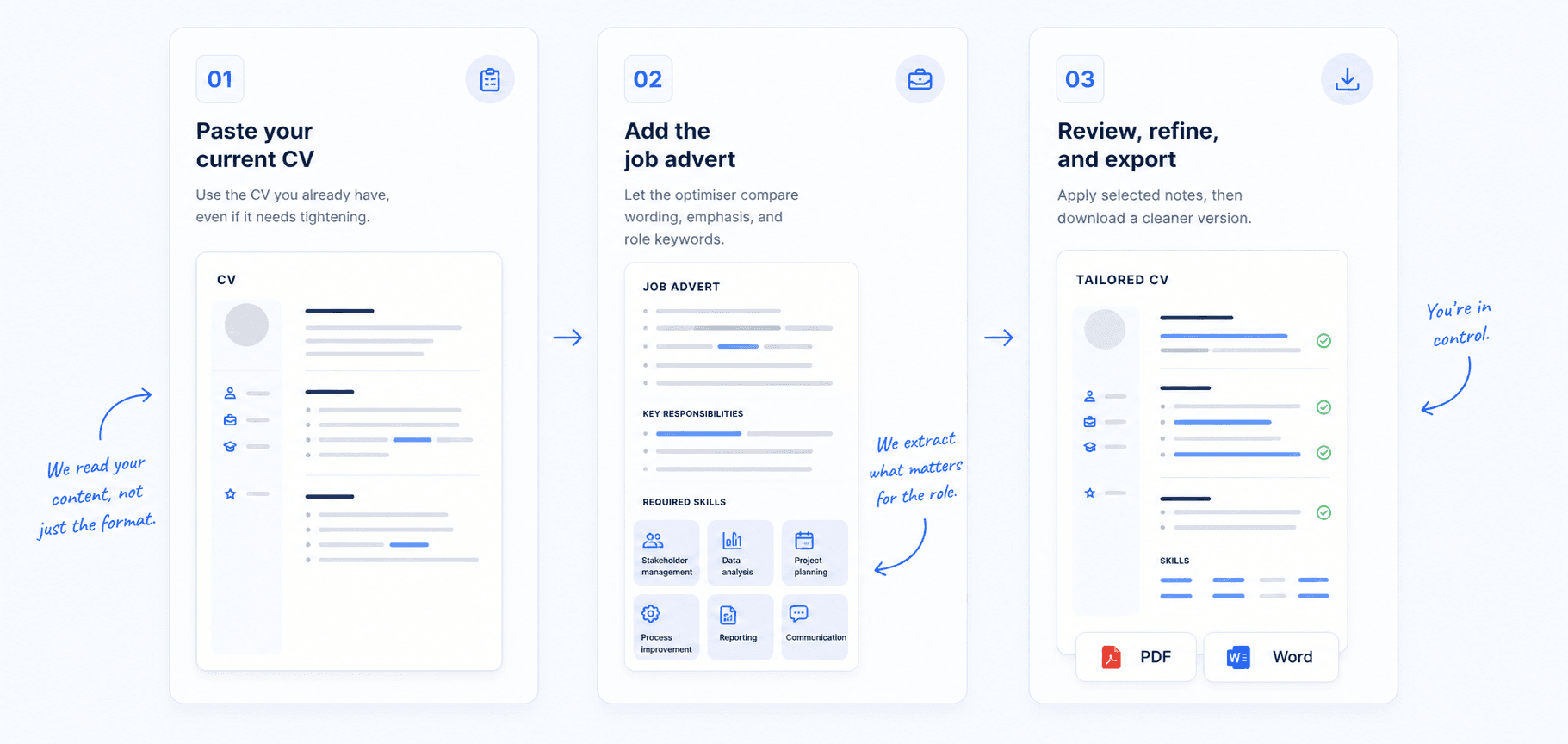
An AI CV optimiser can help spot missing keywords, weak bullet points, and unclear wording. Use LandIt as a review layer for one role at a time: paste your CV, add the job description, then review the match score, missing keywords, and suggested improvements before exporting the final PDF or Word document.
Try it
Optimise your CV for one role
Paste your CV and one job description into LandIt to get a match score, missing keywords, review notes, and a tailored CV you can export after unlock.